Tools — Best web design tools
The best tools for web design in 2026
Every list of the best web design tools ranks the same builders on features. Here is what each one is genuinely best for, and why the tool is not what makes your site memorable, the brand is.
On this page
Most "best web design tools" lists rank the same builders on features, never on whether your site is remembered. Below, each tool by the job it is genuinely best for, and why the tool is the easy part. Safe is a template, and a template is invisible. If it doesn't get remembered, it doesn't ship.
- Web design tools split into three jobs: design and prototyping, visual site builders, and content platforms. Each wins a different one.
- The same builders everyone uses produce look-alike sites, because the tool ships whatever brand you bring to it, or the sameness you do not.
- For design and prototyping, Figma and Sketch lead. For building, Webflow, Framer, Wix Studio, and WordPress.
- No tool measures whether your site is remembered. That is the brand decision, and it is the part we score.
What are the best tools for web design in 2026?
You are not here for a feature grid. You are here because the same builders everyone uses tend to produce sites that all look and feel the same, and you want the one that will help yours stick.
So the honest question is not “which tool is best.” It is best at what. Web design tools split into three kinds, and the right answer changes with the job:
- Design and prototyping tools let you draw and test the site before you build it.
- Visual site builders turn a design into a live, production site without hand-coding it.
- Content platforms run content-heavy sites with full control and a large plugin world.
Most lists blend all three and rank them on features, which shows which tool ships fastest or has the most components, not which one makes your site the one a buyer remembers. That gap, a working site with a forgettable brand, is the sameness problem, and no tool will measure it for you.
The best tools for web design in 2026
Grouped by the job they are genuinely best for. Screenshots are of each tool’s own website.
Best for: designing and prototyping the site before build.
Watch for: a design tool, not a brand.
Makes you memorable: No, a tool executes
Best for: designer-controlled, custom production sites.
Watch for: control without a point of view still ships sameness.
Makes you memorable: No, a tool executes
Best for: fast, design-led sites and quick launches.
Watch for: speed can mean it looks like every other Framer site.
Makes you memorable: No, a tool executes
Best for: agencies and small businesses building sites at speed.
Watch for: templates trend generic.
Makes you memorable: No, a tool executes
Best for: content-heavy sites and full control.
Watch for: flexibility without brand direction is just more sameness.
Makes you memorable: No, a tool executes
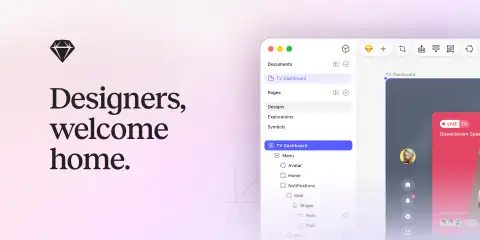
Best for: Mac-based UI and web design.
Watch for: a design tool, not a brand decision.
Makes you memorable: No, a tool executes
Here is the same field at a glance.
| Tool | Best for | Watch for | Makes you memorable |
|---|---|---|---|
| Figma | Designing and prototyping before build | A design tool, not a brand | No |
| Webflow | Designer-controlled custom sites | Control without a point of view ships sameness | No |
| Framer | Fast, design-led sites and launches | Can look like every other Framer site | No |
| Wix Studio | Building sites at speed | Templates trend generic | No |
| WordPress | Content-heavy sites, full control | Flexibility without direction is more sameness | No |
| Sketch | Mac-based UI and web design | A design tool, not a brand decision | No |
Want to see where you blend into the AI average? Book your free Brand Clarity Call and get the design direction to stand out.
How to choose a web design tool
Skip the feature grid. Here is the real decision, in three moves:
- Decide which job you are hiring the tool for. Design and prototyping is one job, building the live site is another, and running a content-heavy site is a third. Pick the tool that fits the job you are actually doing, not the one with the longest feature list.
- Match the tool to your control, not your ambition. Wix Studio and Framer trade control for speed, Webflow and WordPress trade speed for control. Neither choice makes you memorable, so pick on how much you want to manage, then move on.
- Spend your real effort on the brand, not the software. The tool is the easy part of the decision and takes an afternoon to settle. The point of view a competitor cannot copy is the hard part, and it is the part that decides whether anyone remembers the site the tool builds.
Why the tool is not what makes your site memorable
Pick any tool on this list and it will happily build a forgettable site or a memorable one. The software does not know the difference and does not care. The same builder ships whatever brand you bring to it, or the sameness you do not.
That is the gap most tool lists miss. Memorability is not a property of the software, it is a property of the decision you made before you opened it: who you are, what you stand for, and the one idea only you can own. The tool executes that decision. It cannot make it.
The proof is in the work, not a promised number: see our case studies. If your search is broader than the build, start with what memorability actually means, then compare the best branding tools and the best AI design tools with the same lens. When you want the brand decision made for you rather than a tool to make it in, our branding agency in Singapore page explains how we work.
Why memorability? A built site is table stakes; your buyer has ten that work and load fast. The one whose brand they remember is the one they choose, so memorability is the return on design, and the only one you can actually measure.
FAQ
What are the best tools for web design in 2026?
For designing and prototyping, Figma and Sketch lead. For building production sites, Webflow and Framer for design-led control, Wix Studio for speed, and WordPress for content-heavy sites with full control. Each is strong at a different job. None of them decide whether your site is remembered, because that is the brand, not the tool.
Does the web design tool affect SEO or memorability?
The tool affects build quality, page speed, and how easily you can ship, which touch SEO. Whether the site is remembered is a separate question. That is the brand decision, not the tool. The same builder can produce a forgettable site or a memorable one; the difference is what you decide to say and how you decide to look.
What is the best tool for a beginner?
Wix Studio or Framer if you want speed and templates, Webflow or WordPress if you want control as you grow. All of them will get you a working site. None of them will decide your brand for you, so the tool is the easy part of the choice.
Do I need a designer if I use these tools?
Yes, for the brand decision the tool cannot make. A builder gives you the canvas and the components. It does not decide your point of view, your voice, or the one idea only you can own. That is the work that makes a site memorable, and it is a human decision, not a feature.
Don't be generic. Go unsafe.
Get the AI Branding Playbook, "Make It Feel Like Yours." How to give your AI real design direction so your brand stops looking like the template everyone else ships.
Get the AI Branding PlaybookDon't be generic. Go unsafe.
Book a free Brand Clarity Call. We put your brand next to the AI-average lineup, show you where you blend in, and give your AI tools the design direction to build something unmistakably yours. No pitch.